Remote browser workspace
Run the browser and its profile in a controlled environment while delivering only the browsing experience.
- Web-centered tasks
- Explicit file and clipboard policy
- Ephemeral or persistent profiles
Run the browser somewhere else—on purpose
Independent architecture guides for remote browsers, containerized server browsing, VPN access, RDP, offsite workspaces, kiosks, mobile devices, and isolated AI browser agents.
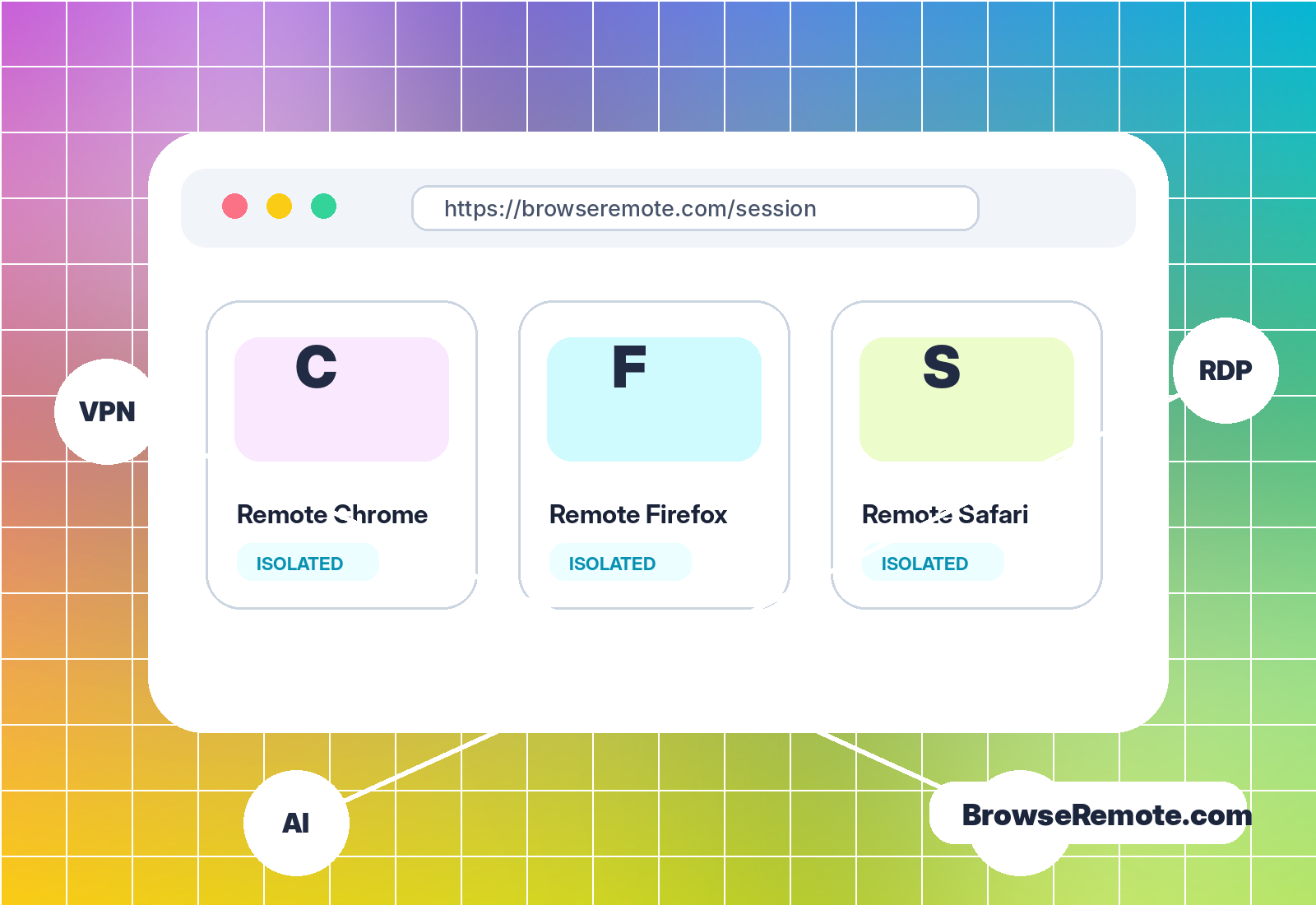
Architecture first
A VPN moves the network path. RDP moves a desktop interface. A remote browser moves web execution. Clear boundaries make better security and usability decisions.
Run the browser and its profile in a controlled environment while delivering only the browsing experience.
Launch repeatable, resource-limited sessions from hardened images and remove them at task completion.
Deliver a complete operating system when users need more than a browser, legacy software, or managed files.
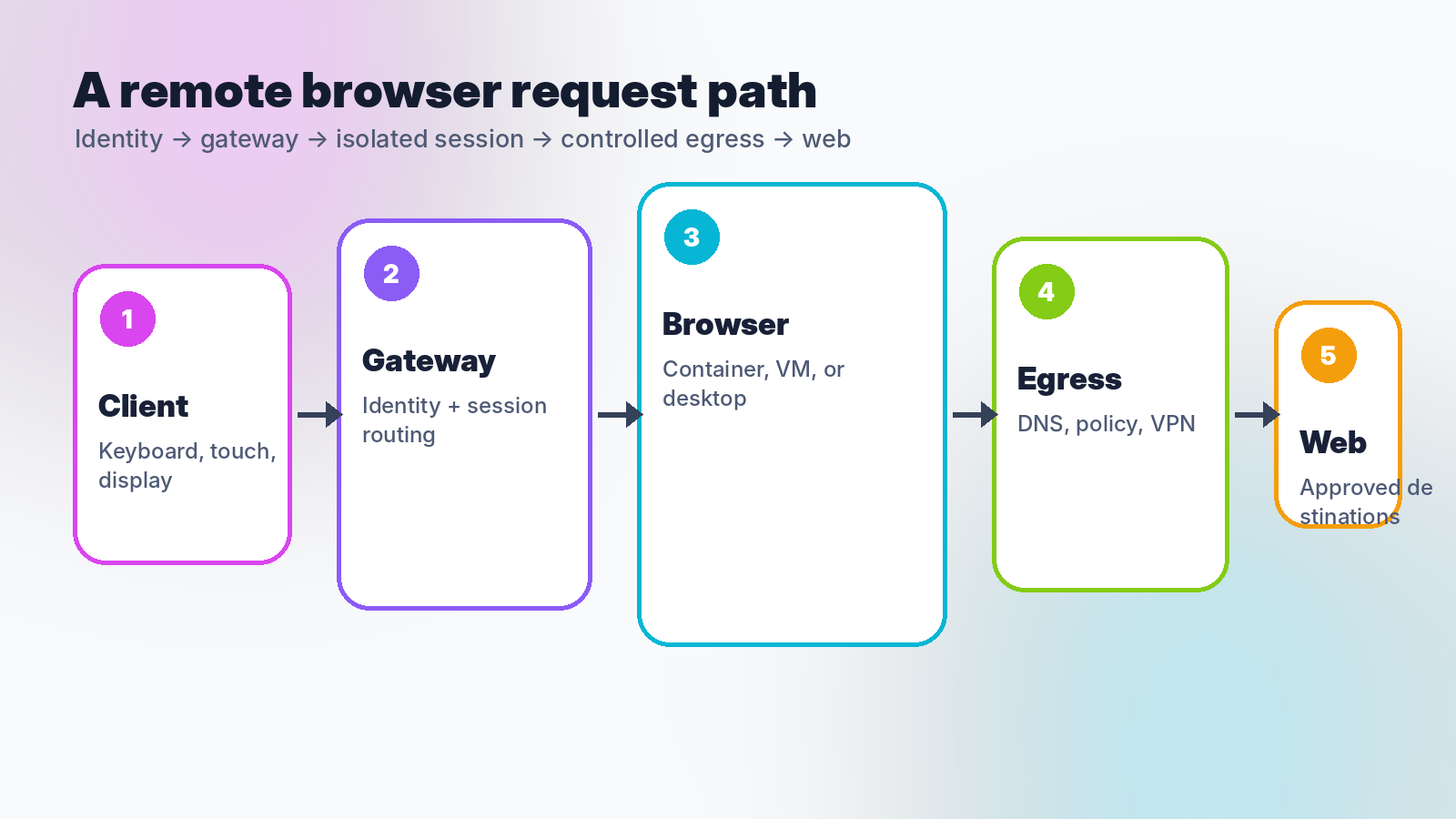
End-to-end request path
Identity, gateway routing, compute boundary, profile storage, DNS, network egress, logging, and file transfer all shape the outcome.
Access model comparison
Use the narrowest model that supports the approved workflow. Layer them only when the combined path is explicit and supportable.
| Model | What runs remotely | Best fit | Primary caution |
|---|---|---|---|
| Remote browser | Browser process and profile | Web isolation, controlled egress, clean sessions | Latency, data bridges, phishing still matter |
| VPN | Network path and exit | Private network access, protected tunneling | Local browser and endpoint remain in scope |
| RDP / VDI | Full desktop and applications | Legacy apps, managed files, broad workspace | Larger surface and redirection controls |
| Container / VM pool | Session compute boundary | Disposable workloads and tenant separation | Host, control plane, image, and storage security |
Platform coverage
Browser logos do not equal compatibility. Map brands to engines, operating systems, policy, and the actual user journey.
Chromium sessions with distinct policy, services, and privacy behavior.
Chromium plus Microsoft enterprise integration and Windows-specific workflows.
Gecko coverage, enterprise policy, and an independent rendering engine.
Real macOS, iOS, or iPadOS environments when WebKit fidelity matters.
Touch-first clients, mobile identity, network transitions, and device constraints.
Self-hosted browser images, controlled egress, and reproducible operations.
Private automation interfaces, scoped credentials, and human approval.
Fixed-purpose access, automatic reset, peripherals, and remote hands.
Session lifecycle
Remote browsing is safest when every session has a known beginning, narrow permissions, observable health, and deterministic end.
Map the identity to a browser profile, network policy, destination set, and permitted data bridges.
Start a browser container, VM, desktop, or dedicated host from a maintained baseline.
Track health, access, and transfer events while protecting browsing content and credentials.
Close control channels, revoke tokens, destroy temporary state, and release compute and routes.
Latest field guides
Long-form guides cover architecture, limitations, operational controls, and evaluation questions.
Compare browser isolation boundaries across containers, virtual machines, and unikernels using threat model, density, startup, compatibility, and operations.
Read guide
A control model for browser agents using isolated sessions, scoped credentials, destination policy, human approvals, audit evidence, and stop conditions.
Read guide
A launch guide for fixed-purpose kiosks and shared devices with automatic reset, remote browser sessions, peripheral controls, and remote operations.
Read guideFrequently asked
A Browse Remote setup runs a web browser on another computer, container, virtual machine, or remote desktop and delivers the interactive session to the user over a network. The local device becomes an access client rather than the main place where web content executes.
No. A VPN changes the network path and egress location while applications generally continue to run locally. A remote browser moves the browser process and its profile to a remote environment. The two can be combined.
It can reduce exposure to malicious code and downloads, but it cannot stop a person from entering credentials or approving access on a convincing page. Identity controls and user verification remain necessary.
Yes, with platform-specific constraints. Chromium-based browsers can share some infrastructure, Firefox uses a different engine, and authentic Safari coverage normally requires Apple operating systems or devices.
Yes. A self-hosted deployment needs an authenticated HTTPS gateway, maintained images, preserved browser sandboxing, isolated sessions, controlled egress, monitoring, cleanup, and a tested recovery process.
No. BrowseRemote.com is an independent static reference site about remote browsing architectures, deployment choices, and security controls. It does not create user accounts or provide a live remote session.
Build from a clear boundary
Use the guides to compare browser isolation, containers, VMs, VPNs, RDP, kiosks, mobile access, and agent workspaces—then contact BrowseRemote.com with editorial questions or corrections.